LOG LAB LIVE
Review logs, investigate operating points, edit proposed table values and compare revisions.
IN DEVELOPMENT / BMW FIRST
A dedicated workspace for automotive datalogging, live engine mapping and intelligent calibration analysis. Built for BMW enthusiasts and performance professionals.
Windows desktop software · Pre-release development
BUILT WITH PURPOSE
LOG LAB LIVE is being developed to bring engine data, calibration visualization and vehicle projects into one cohesive workspace. Follow the data from a recorded pull to the operating conditions and calibration cells worth investigating.
BUILT FOR YOUR TUNING WORKFLOW
LOG LAB LIVE is designed to work alongside existing tuning platforms, not replace them. Connect recorded engine behavior with calibration tables, prepare proposed changes and transfer table values to an external calibration editor.
Review logs, investigate operating points, edit proposed table values and compare revisions.
Transfer proposed values into a matching table, save a separate BIN and return it to LOG LAB LIVE for comparison.
Use compatible exported logs for analysis. ECU flashing remains the responsibility of your external platform; compatibility varies by vehicle and file format.
Independent software; no affiliation with TunerPro or MHD. LOG LAB LIVE does not flash ECUs or validate tuning safety. External transfer is a development workflow pending end-to-end validation.
THE PLATFORM
One organized environment for exploring engine behavior and investigating the relationship between logged data and calibration tables.
Import compatible logs, inspect synchronized channels and investigate boost, fueling, ignition and engine load.
Read-only vehicle monitoring and recording are being developed for compatible BMW diagnostic interfaces. Physical validation is pending.
Visualize recorded operating data across RPM and load cells. Simultaneous multi-map capture is a development target.
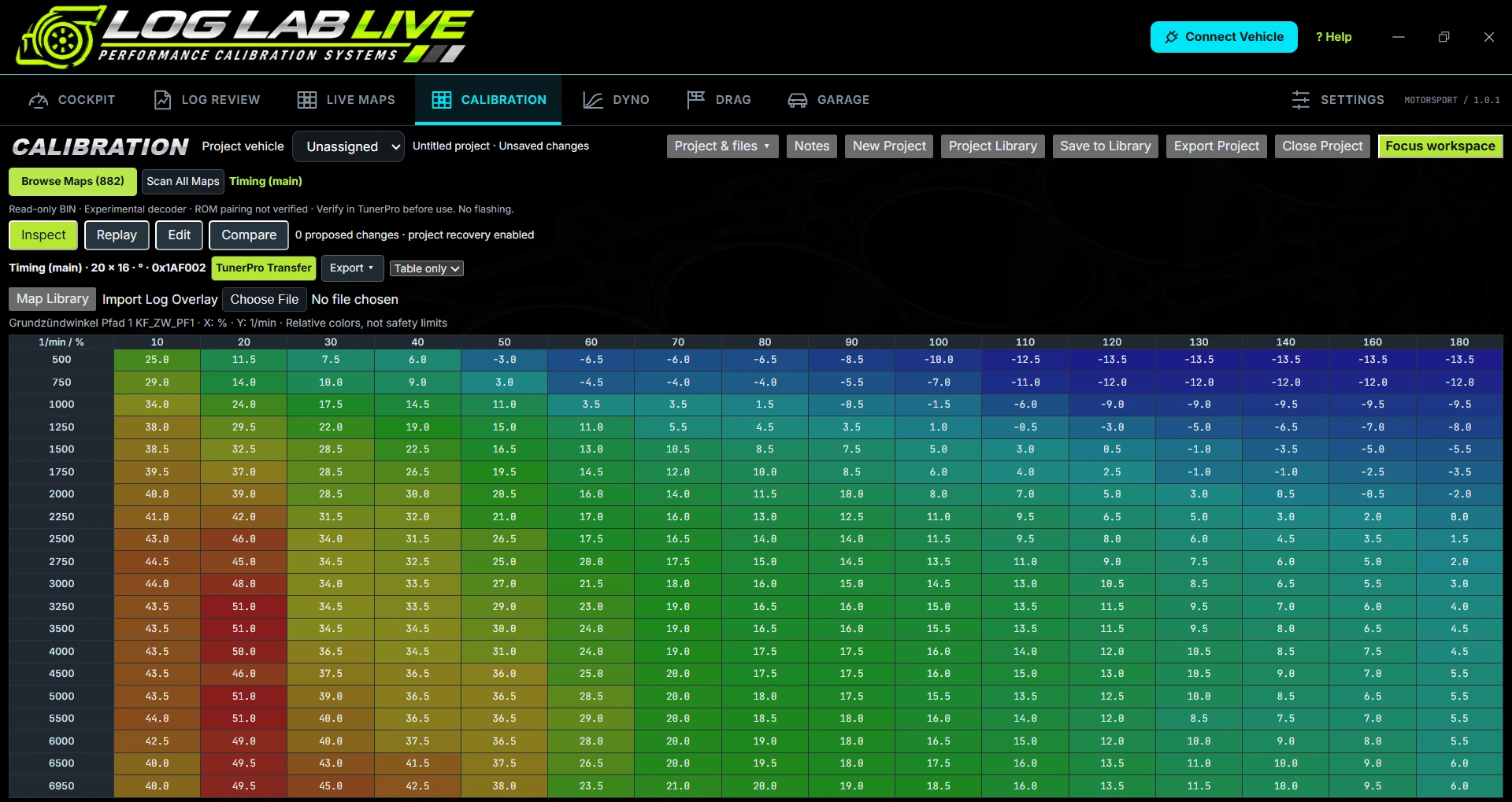
Explore compatible BIN and XDF files and relate logged operating points to relevant calibration cells.
Use derived metrics to investigate target versus actual behavior and identify areas that warrant further analysis.
Keep vehicle projects, datalogs and calibration investigations organized in a dedicated desktop environment.
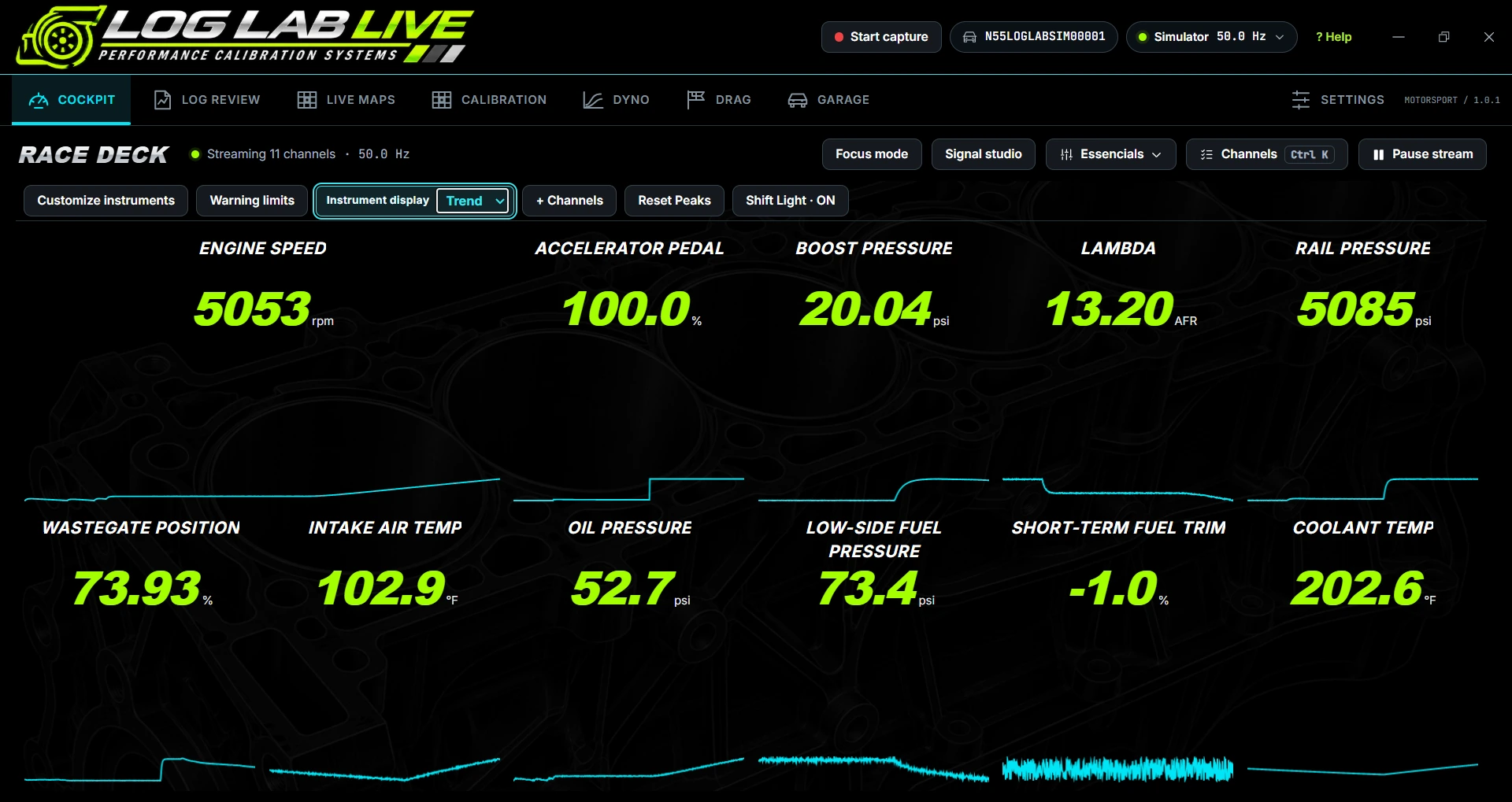
Customize gauges, numerical instruments, trend traces and warning limits.
Explore estimated power and torque from suitable acceleration logs. Estimates are not calibrated dyno measurements.
Investigate acceleration intervals and splits from suitable logs. Closed-course use only.
THE WORKFLOW
Import a compatible log or record data on a validated connection when available.
Explore synchronized channels and calculated metrics.
Relate operating points to compatible calibration tables.
Keep logs, vehicle profiles and investigations together.
INSIDE THE SOFTWARE
Explore the current Windows development build. These are actual application screenshots, not concept renders. Simulator readings are illustrative; live vehicle compatibility is still pending validation.
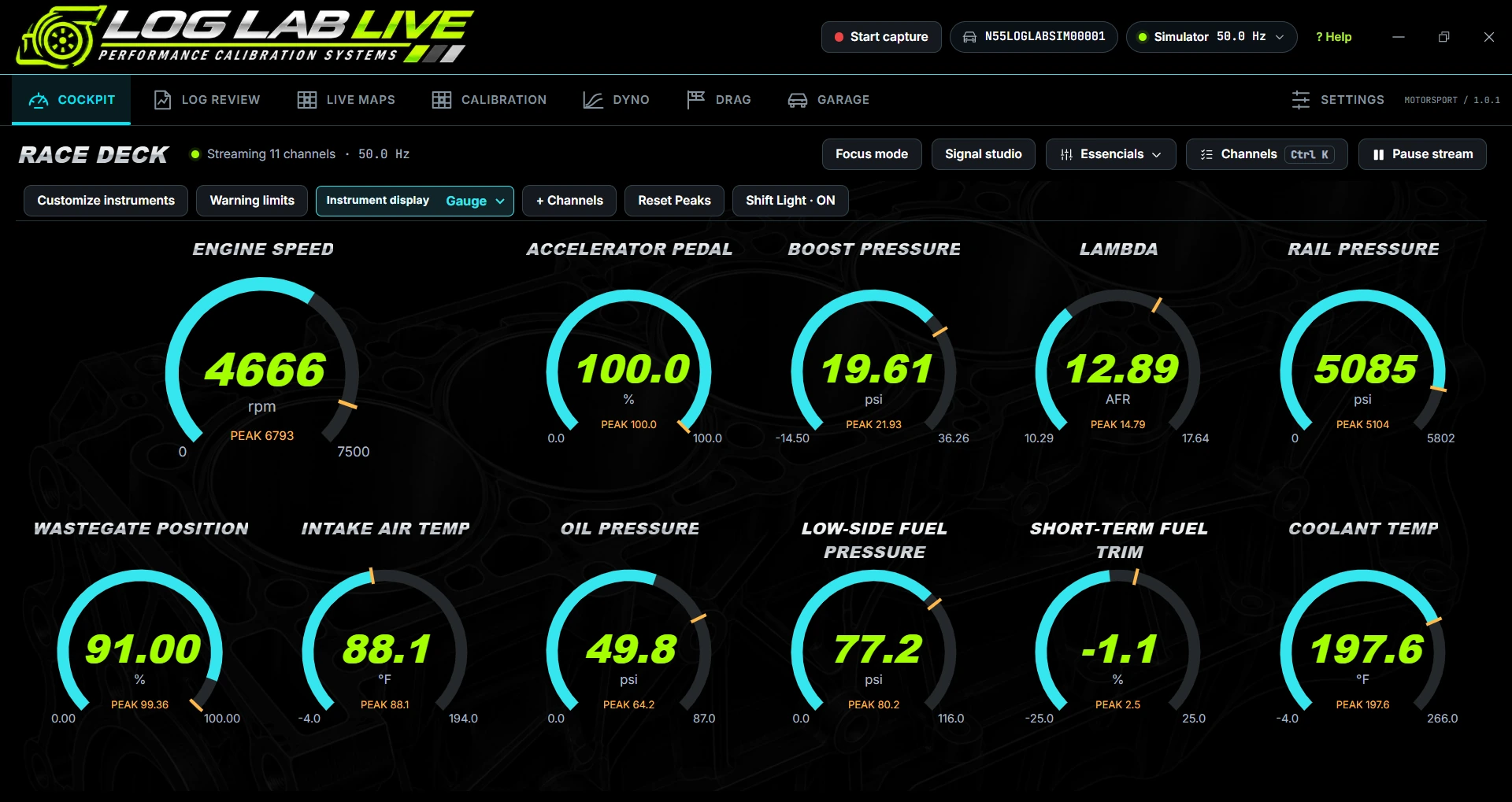
Explore calibration tables in two and three dimensions.
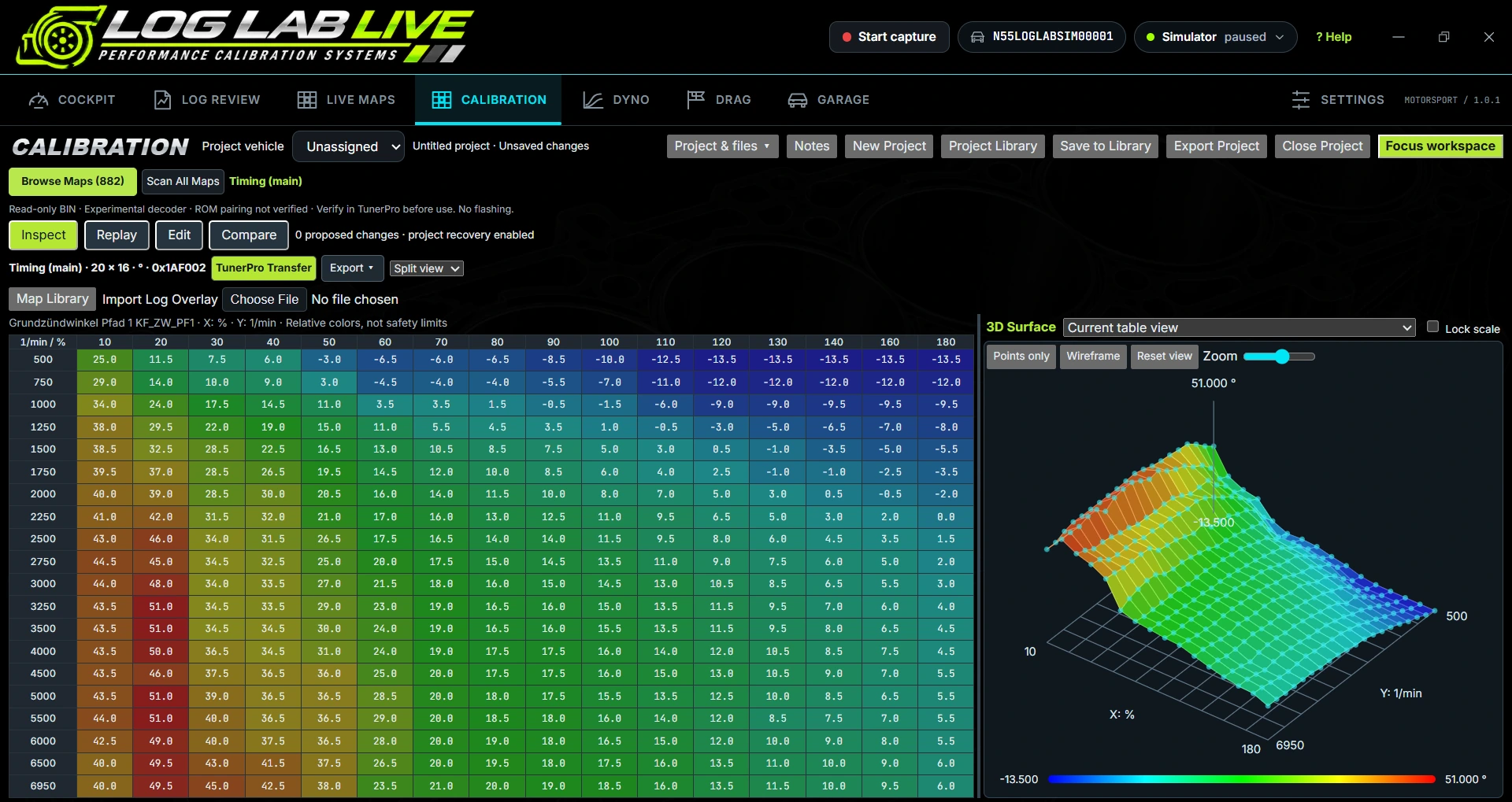
Inspect boost, RPM, rail pressure and other channels in a synchronized graph.
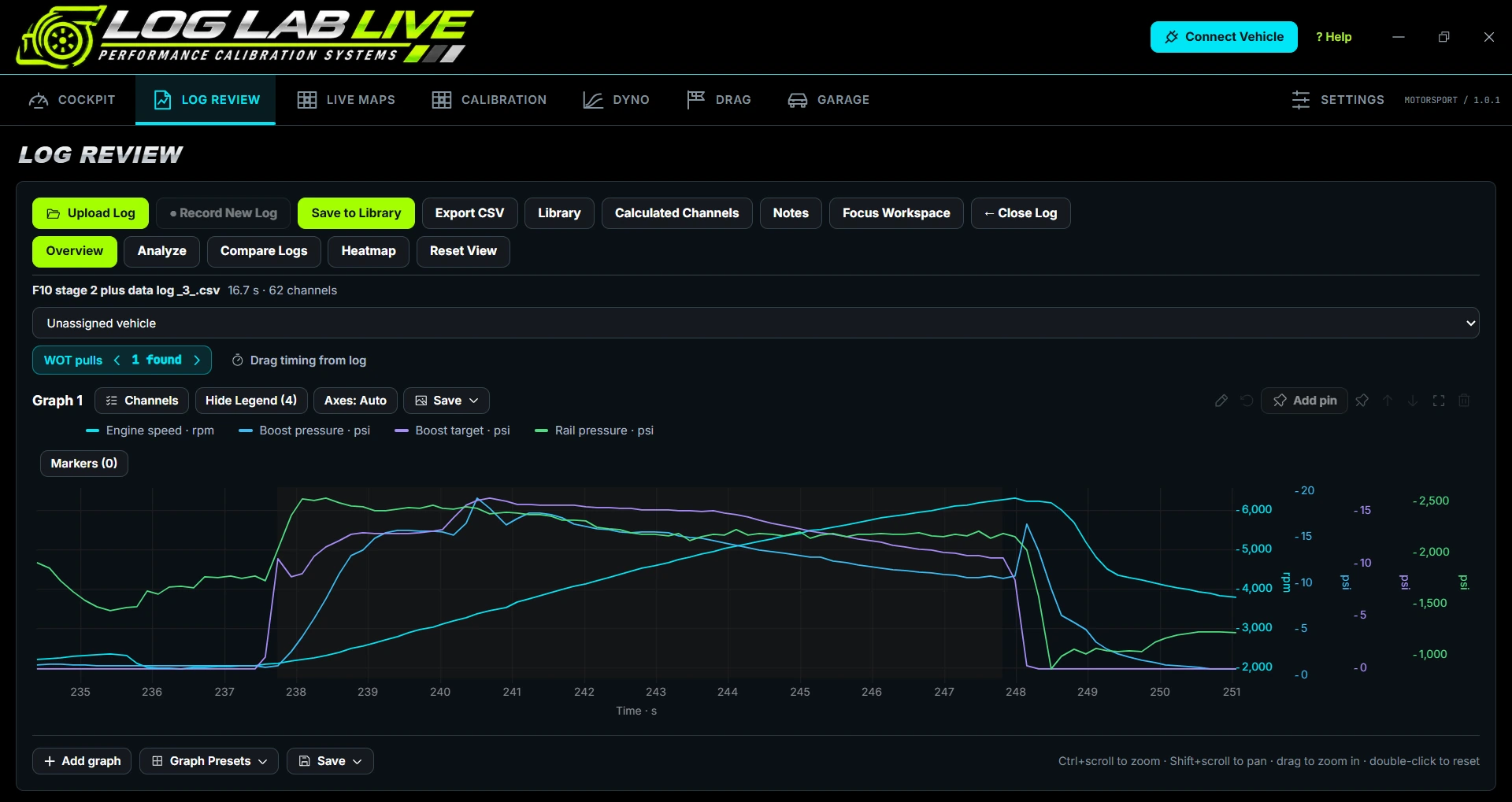
Switch from traditional gauges to numerical instruments with trend traces.
Inspect RPM and load cells in a dedicated table workspace.
BMW FIRST
The initial development focus is BMW torque-based engine management. Live compatibility will be published only after vehicle-specific testing.
Offline analysis depends on compatible log formats and calibration definitions, rather than the vehicle badge alone.
No live vehicle compatibility is currently certified or advertised as validated. LOG LAB LIVE is an independent product and is not affiliated with BMW or MHD.
DEVELOPMENT ROADMAP
Analysis, calibration visualization and simulated communication testing.
Initial BMW N55 connection and stationary logging, followed by controlled testing.
Vehicle compatibility verification, licensing and secure distribution before external testing.
HELP CENTER
Explore software guides, real interface screenshots and troubleshooting information.
Browse documentation ↗HARDWARE REQUIREMENTS
Live BMW logging requires a compatible ENET cable or supported Wi-Fi diagnostic adapter. No hardware is needed for offline analysis or simulation. Wireless support is experimental; physical validation is pending.
View connection requirements →EARLY INTEREST
Interested in LOG LAB LIVE? Tell us about your BMW and how you use datalogging or calibration analysis. This is an expression of interest, not a beta invitation or purchase.
COMMON QUESTIONS
No. It is an analysis and monitoring platform, not an ECU writing or flashing tool.
No. Compatible offline logs can be analyzed independently. Calibration-specific investigation requires appropriate calibration files and definitions. Independent live mapping is a validation target.
No public release date has been announced. Downloads are not available during initial development and validation.